Video Commander 2026.4.0 is now available. This release delivers a significant UI overhaul, a completely redesigned Jobs experience, and several quality-of-life improvements.
UI Refresh
The entire app has been rethemed with a darker, more refined look. The shell, sidebar, title bar, and tab strip all adopt a deeper dark background with subtler borders and improved contrast. The result is a more focused, professional feel that reduces visual noise when working with media.

Revamped Jobs View
The jobs experience has been rebuilt from the ground up. The old floating JobsDock and bottom dockbar have been replaced with a dedicated Jobs panel accessible directly from the sidebar. Key improvements include:
- A sidebar navigation item with a live badge showing the count of queued and running jobs.
- A split-panel layout: job list on the left, full job detail on the right.
- Inline log output displayed directly in the job detail panel — the separate ConsoleDock has been removed entirely.
- Job navigation from other views (e.g. clicking a running job) routes directly into the Jobs panel and selects the correct entry.
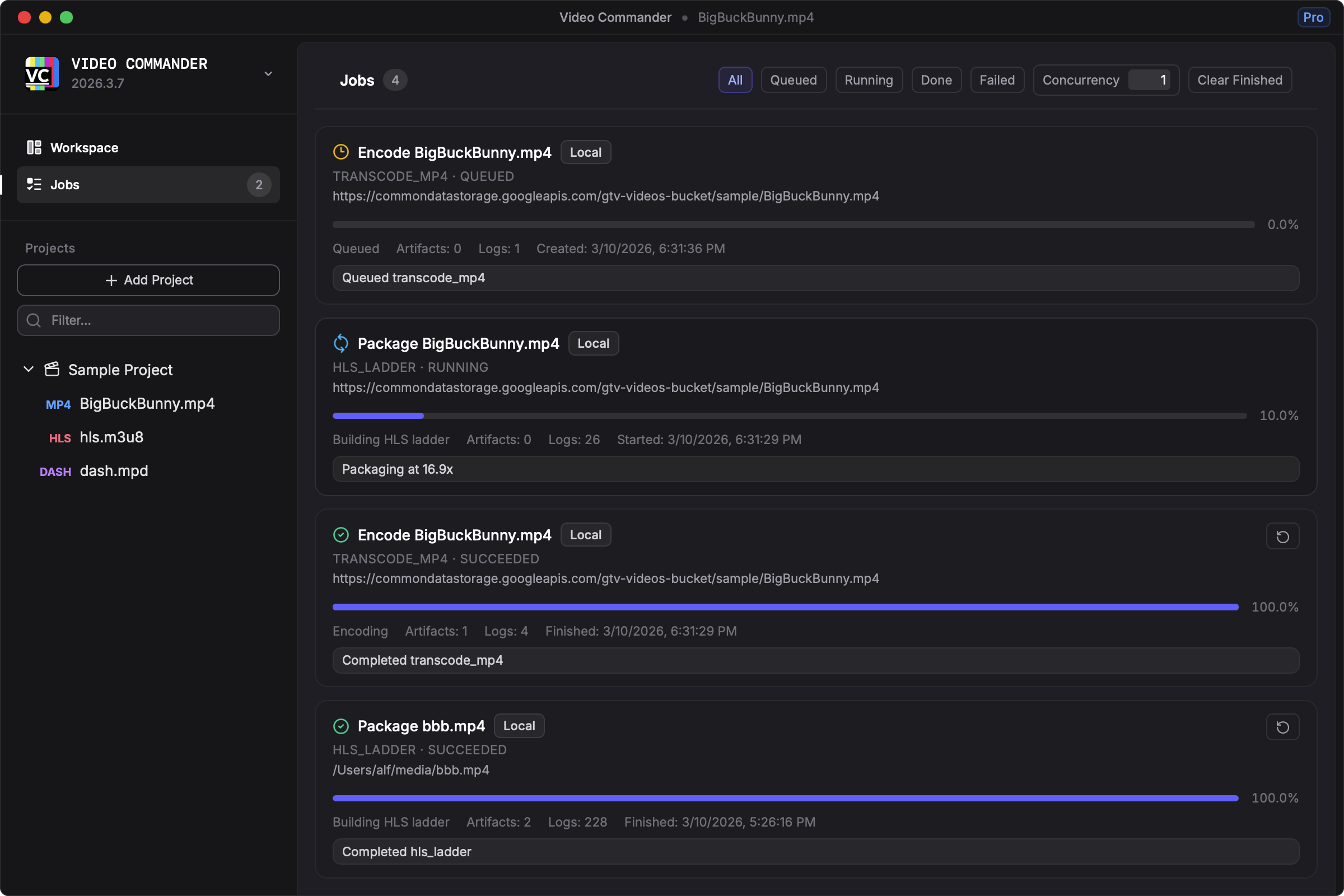
Removed ConsoleDock and Dockbar
The console dock and bottom dockbar that previously floated over the main content have been removed. All log output is now surfaced per-job inside the Jobs panel, keeping the workspace clean and logs contextual to the job that produced them.
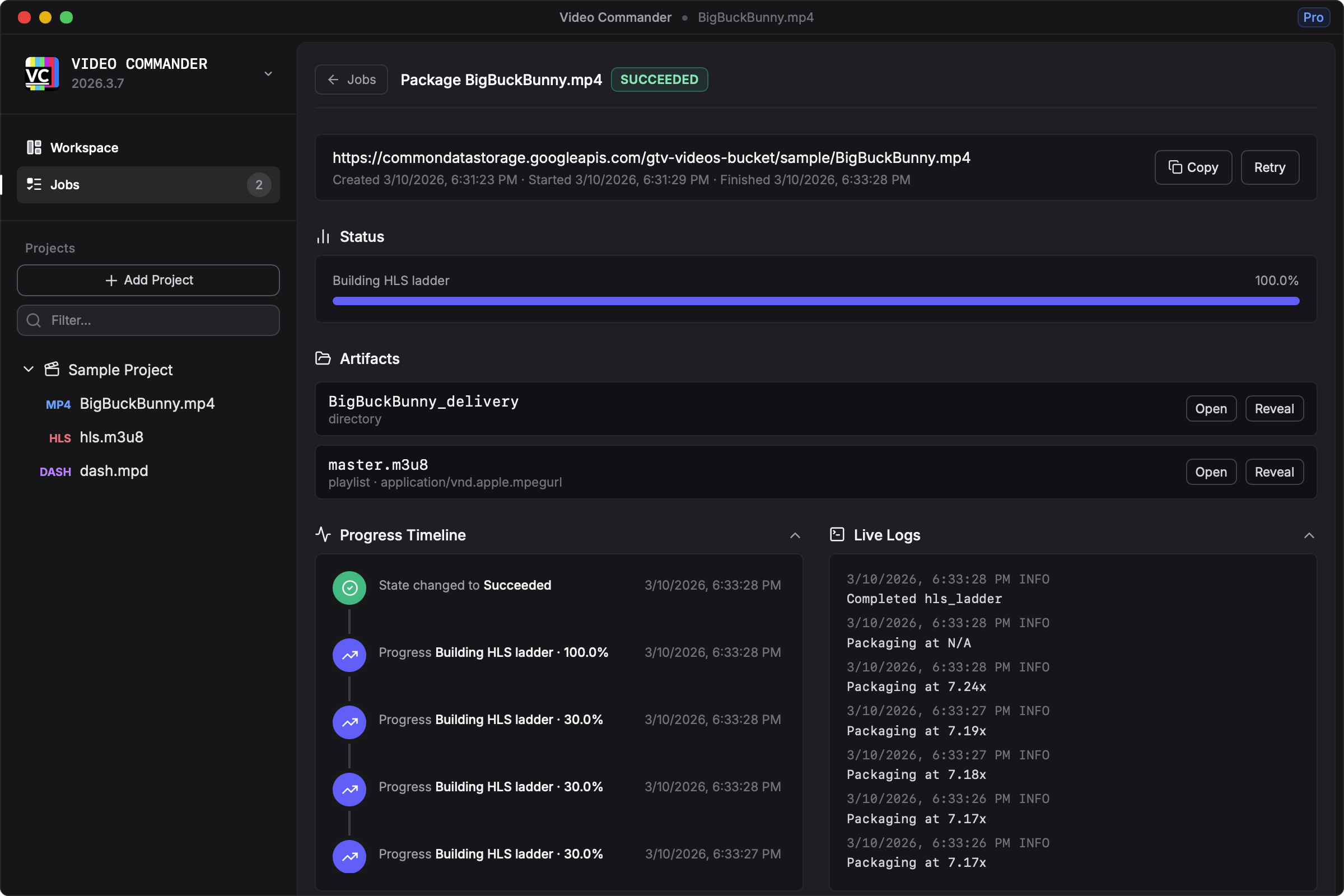
Sub-Tab State Retention
Navigating between sources in the outer tab strip no longer resets the active inner tab. Each source now remembers which tool tab (Inspect, Convert, Preview, Delivery, Analyze) was last active, so switching between files or streams preserves your workflow context.
Player Autoplay on First Load Only
The preview player now autoplays only when a source is first loaded. Re-navigating to an already-loaded source no longer triggers an unwanted autoplay, reducing interruptions when switching between tabs.
Cloud Services for Pro Users (experimental)
The Cloud Encoding section in Settings now checks your license status on load. If no active Pro license is detected, a clear upgrade prompt is shown in place of the configuration form. This makes the Pro feature boundary explicit and avoids confusion for users on the personal tier.
Download
Download the latest build from the download page.