
VMAF GUI for macOS
Visual VMAF Analysis for Real Encoding Work
VMAF is one of the most useful ways to compare source and encoded video quality. But the usual workflow still means shell commands, logs, and too much manual interpretation.
Run quality analysis with Video Commander, a native macOS desktop app for comparing encodes, spotting regressions, and understanding where quality drops happen.
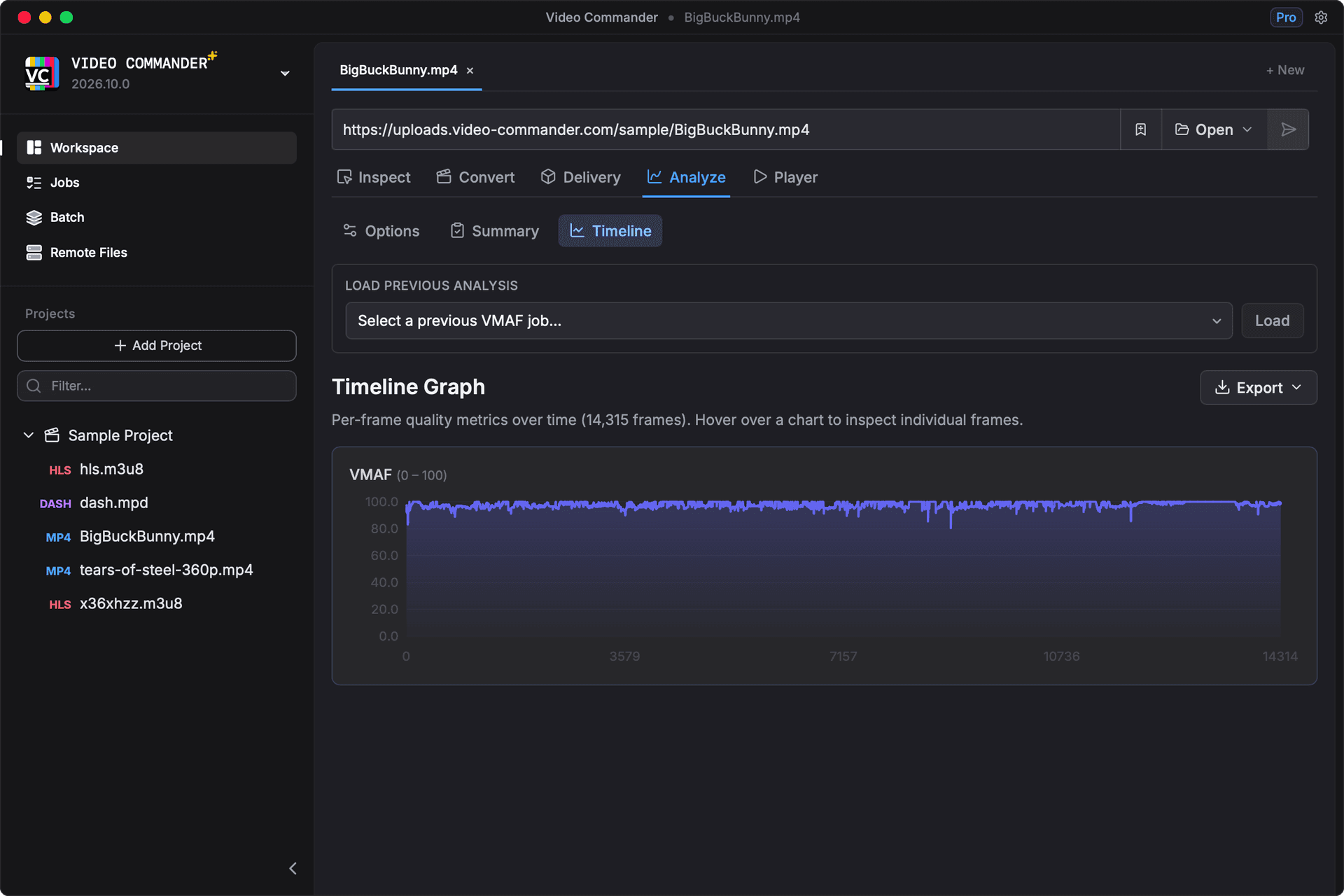
Native macOS. Built for Quality Analysis.
- Apple Silicon optimized
- Offline-first, local processing
- Built for large local media files
- Built by a professional media engineer
More Than a Single Score
Average VMAF is useful, but it doesn't tell you where an encode fails. Video Commander adds a timeline view so you can inspect per-frame or per-segment quality changes across the file and catch trouble spots faster.
- Compare source and encoded files without building custom scripts
- Score with Netflix's VMAF v1 models, including 4K and 4K TV, or v0.6.1
- Tone map HDR sources to SDR before scoring
- Read percentiles, a score histogram, and the lowest-scoring moments, not only the mean
- See quality dips instead of reading raw logs
- Put up to three runs next to a baseline in the Compare tab
- Save the summary as PNG or PDF, or export CSV or JSON
- Use visual analysis during codec tuning and bitrate ladder work
- Speed up debugging for delivery and streaming workflows
See the Frame Behind the Score
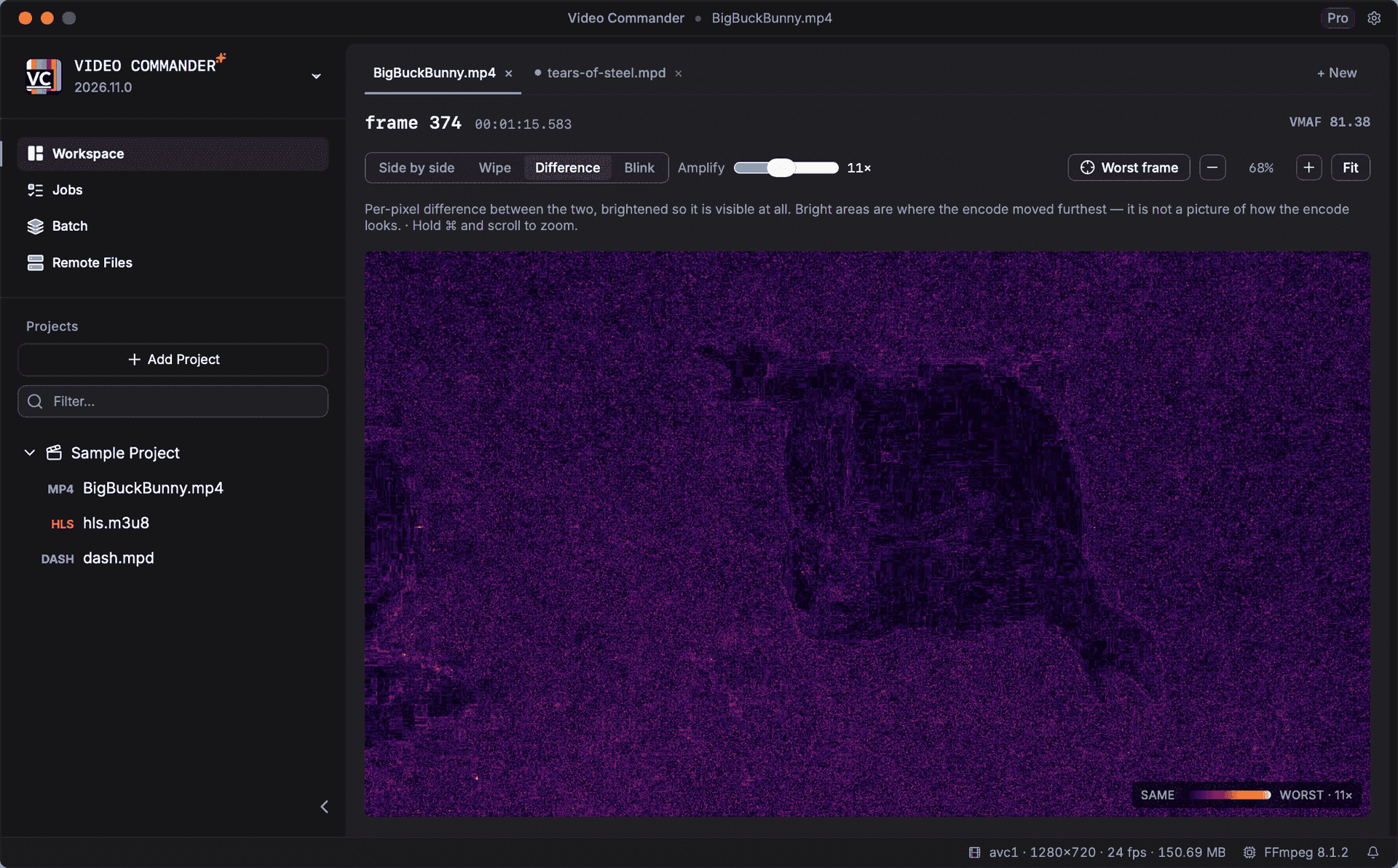
A number tells you quality dropped. It does not tell you whether the cause was banding in a gradient, mush in fast motion, or blocking on a hard cut. The Frames tab puts any frame of a run next to its source so you can look at the difference directly.
- Jump straight to the worst-scoring frame in the run
- Drag a wipe across the two frames, or blink between them in place
- Read an amplified difference map that states its own amplification factor
- Zoom and pan stay locked across both images, so they never drift out of alignment
- Every frame carries its own VMAF score and timecode
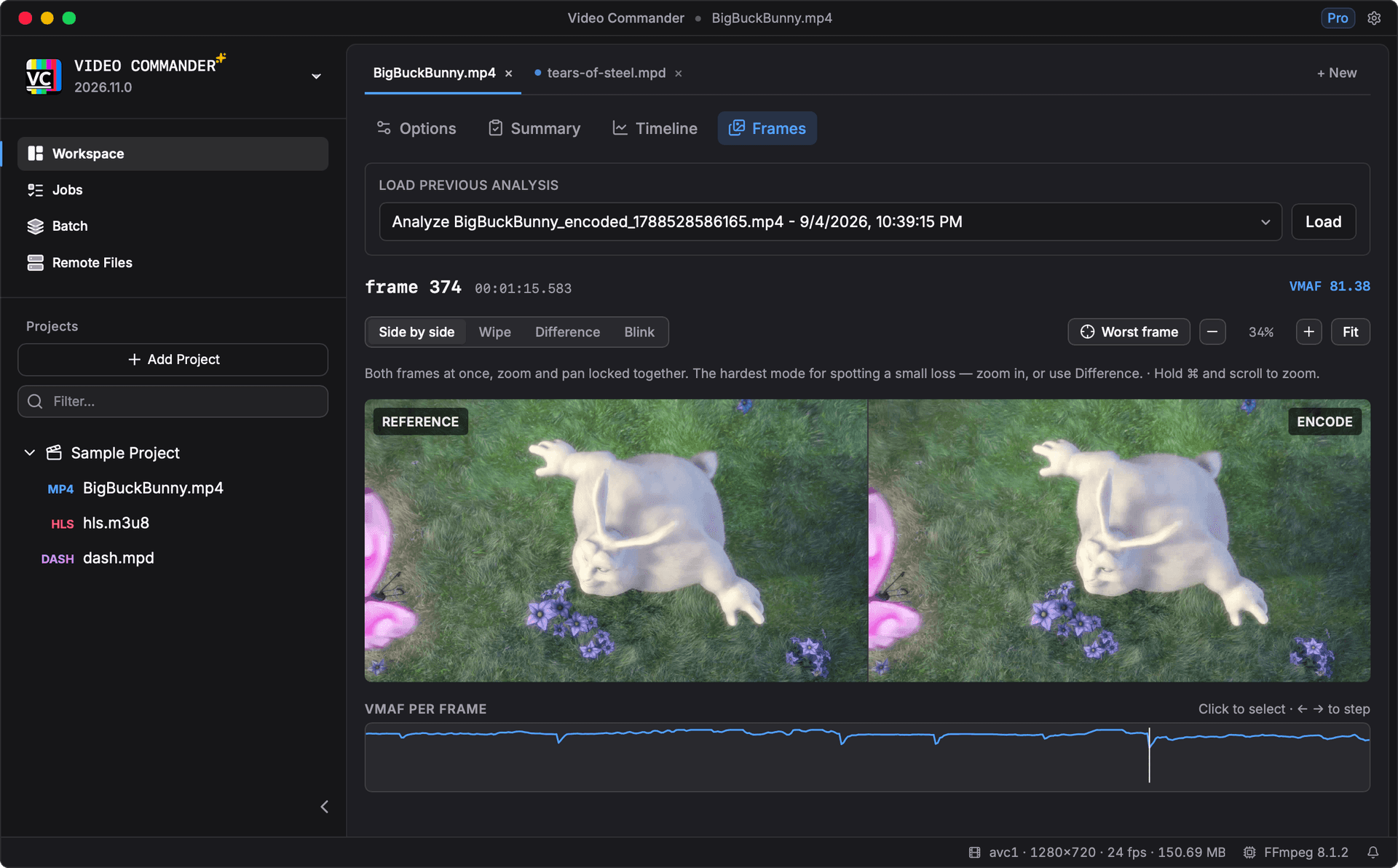
The difference map is the mode that finds what the eye skims past. It is a per-pixel difference, brightened until it is visible, so bright areas mark where the encode moved furthest from the source. It states its own amplification factor, which is what separates a genuinely clean encode from a map that has simply been scaled down.
VMAF GUI vs Traditional CLI Workflow
| Task | Terminal Workflow | Video Commander |
|---|---|---|
| Compare source vs encode | Hand-written ffmpeg/libvmaf command | Guided analysis workflow |
| Find quality drops | Parse logs or CSV output | Timeline graph with visible dips |
| See why a frame scored low | Extract both frames and diff them by hand | Wipe, difference map, and A/B blink in place |
| Compare encodes against each other | Line up several JSON logs by hand | Up to three runs against a baseline, on shared charts |
| Score an HDR master against an SDR encode | Build a tone-mapping filter chain | Dynamic Range setting with BT.2390 and three other curves |
| Validate encode decisions | Manual iteration | Faster compare-and-adjust loop |
| Share results with teammates | Explain raw terminal output | PNG or PDF summary, plus CSV/JSON export |
Scores come from libvmaf, the same library the command line uses. The timeline view and CSV/JSON export are what the app adds on top.
Download a VMAF GUI for macOS
Video Commander runs locally on macOS and supports Apple Silicon and Intel.
Download the Latest VersionLinux support coming soon.
Free to start. Pro for commercial work.
Video Commander is free for personal use. For client and commercial projects, Pro is a one-time $39, with free updates for life.
More Video Commander Tools
- FFmpeg GUI
- FFmpeg GUI for macOS
- FFmpeg GUI for Windows
- HandBrake Alternative for macOS
- Video Encoder for macOS
- FFmpeg Batch Encoding
- MP4 Inspector for macOS
- MKV Inspector for macOS
- MP4Box GUI for macOS
- Video Metadata Inspector
- ffprobe GUI for macOS
- ffprobe Alternative for macOS
- MediaInfo Alternative for macOS
- VMAF-Target Encoding
- HLS Validator for macOS