
Video Commander
FFmpeg Batch Encoding for macOS
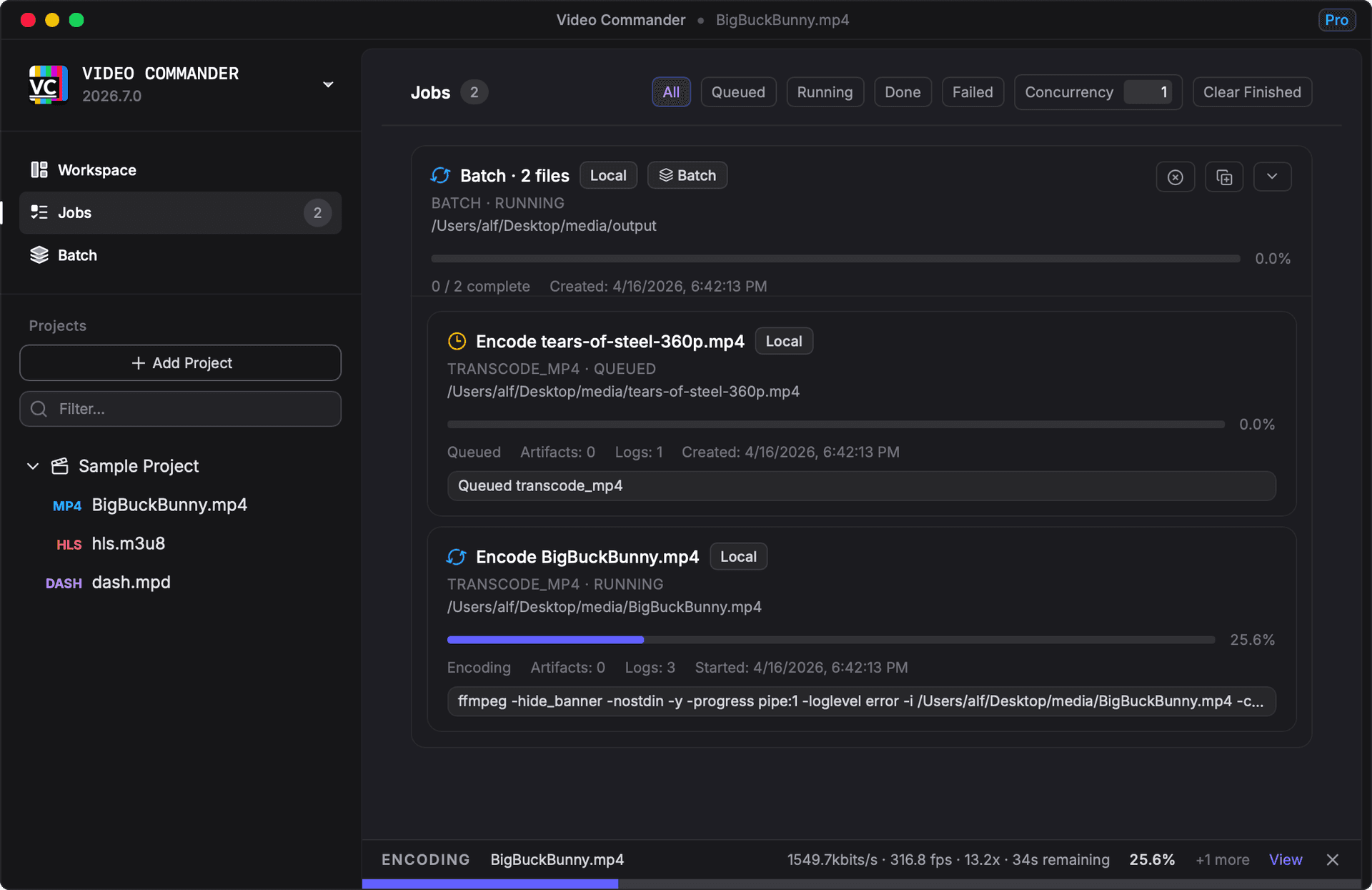
Video Commander includes a built-in job queue. Add your files, configure codec and quality settings, and the app processes the whole batch while you do something else, with per-job progress and a system notification when each one finishes.
How Batch Encoding Works
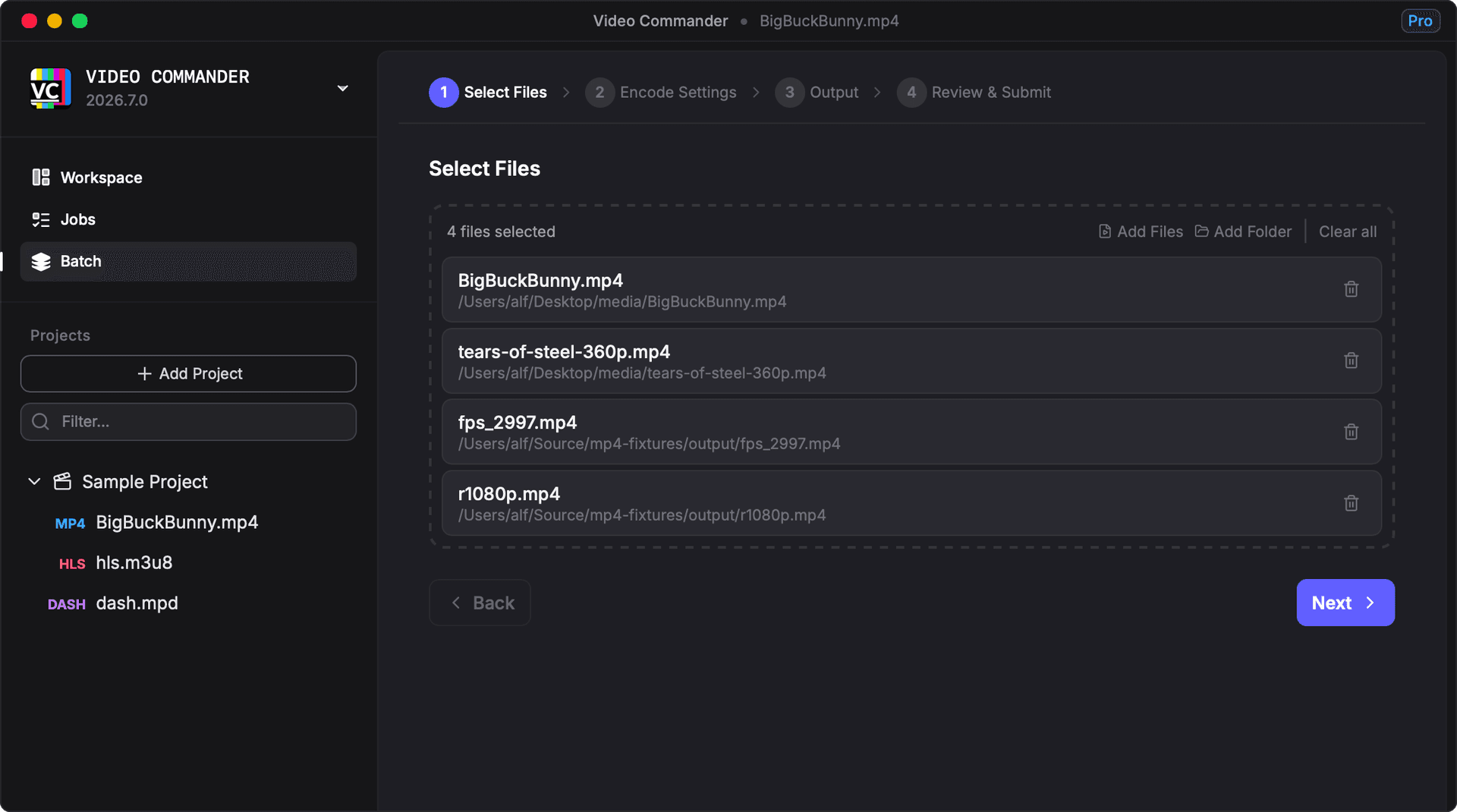
Select your files
Drag in as many source files as you need. Each file becomes a separate job in the queue.
Configure encoding settings
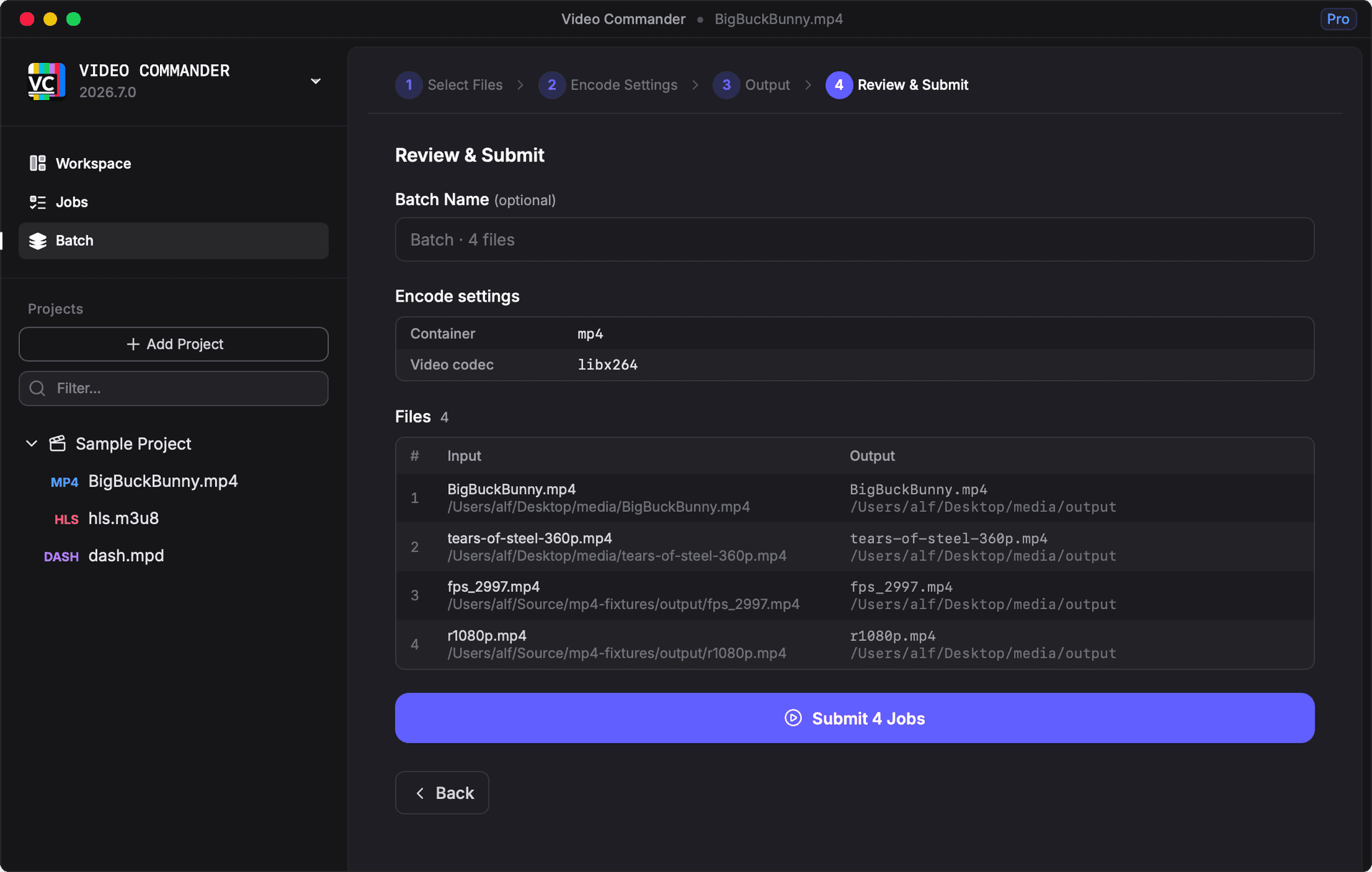
Choose codec, quality, resolution, audio, filters, and stream mapping, applied to all files in the batch.
Submit and walk away
Video Commander works through the queue sequentially. A system notification fires when each job completes.
Select Files and Review Settings
Drag in your source files, review the encoding settings for each job, and submit the batch, all in a single window without leaving the app.
Batch Encoding Capabilities
- Add multiple source files to a single encode queue
- Per-job progress tracking with speed, bitrate, fps, and ETA
- Sequential queue processing: set up and walk away
- System notification when each job finishes
- Container and codec compatibility validation before jobs start
- Filter UI for building FFmpeg filter chains without hand-editing
- Stream mapping to select audio, video, and subtitle tracks
Batch Encoding GUI vs FFmpeg CLI
| Task | FFmpeg CLI | Video Commander |
|---|---|---|
| Encode multiple files | for f in *.mp4; do ffmpeg -i "$f" ...; done | Add files to queue, press Submit |
| Track individual job progress | Read stdout per process | Per-job progress bar with speed and ETA |
| Get notified when done | Append && notify-send or osascript | Automatic system notification |
| Build a filter chain | Hand-write -vf "scale=...,crop=..." flags | Visual filter builder UI |
| Catch codec/container mismatches | FFmpeg error at runtime | Validation before job starts |
| Inspect the output | Run ffprobe separately | Inspect result in the same app |
The same FFmpeg encoding quality, without scripting the queue yourself.
Frequently Asked Questions
- How does batch encoding work in Video Commander?
- You add multiple source files to the encode queue, configure codec and quality settings, then submit the batch. Video Commander processes jobs sequentially, tracks per-job progress, and sends a system notification when each job completes.
- What codecs are supported for batch encoding?
- Video Commander supports H.264 (AVC), HEVC (H.265), AV1, and VP9 for video, and AAC, Opus, and MP3 for audio, all via FFmpeg under the hood.
- Does it validate settings before starting a batch?
- Yes. Video Commander checks that the selected codec is compatible with the chosen output container before any job starts, surfacing incompatibilities with a clear explanation rather than a cryptic FFmpeg error mid-run.
- Does Video Commander use FFmpeg for encoding?
- Yes. All encoding is done by FFmpeg, so you get the same output quality and codec support, just without writing commands.
- Is it free?
- Video Commander is free for personal use. A paid license is required for commercial use.
Start Batch Encoding with FFmpeg
Video Commander runs locally on macOS. Free for personal use. Supports Apple Silicon and Intel.
New to batch encoding? Read the release post for a walkthrough.
Free to start. Pro for commercial work.
Video Commander is free for personal use. For client and commercial projects, Pro is a one-time $39, with free updates for life.
More Video Commander Tools
- FFmpeg GUI
- FFmpeg GUI for macOS
- FFmpeg GUI for Windows
- HandBrake Alternative for macOS
- Video Encoder for macOS
- MP4 Inspector for macOS
- MKV Inspector for macOS
- MP4Box GUI for macOS
- Video Metadata Inspector
- ffprobe GUI for macOS
- ffprobe Alternative for macOS
- MediaInfo Alternative for macOS
- VMAF GUI for macOS
- VMAF-Target Encoding
- HLS Validator for macOS