
Video Commander
FFmpeg GUI for macOS
Video Commander is a native macOS desktop frontend for FFmpeg. It builds the command from a form, runs it through a jobs queue, and shows you the result. Apple Silicon and Intel.
Hardware encoding through VideoToolbox, batch encoding, video filter pipelines, MP4 and ISOBMFF inspection, VMAF comparison, and HLS/DASH packaging in one workspace.
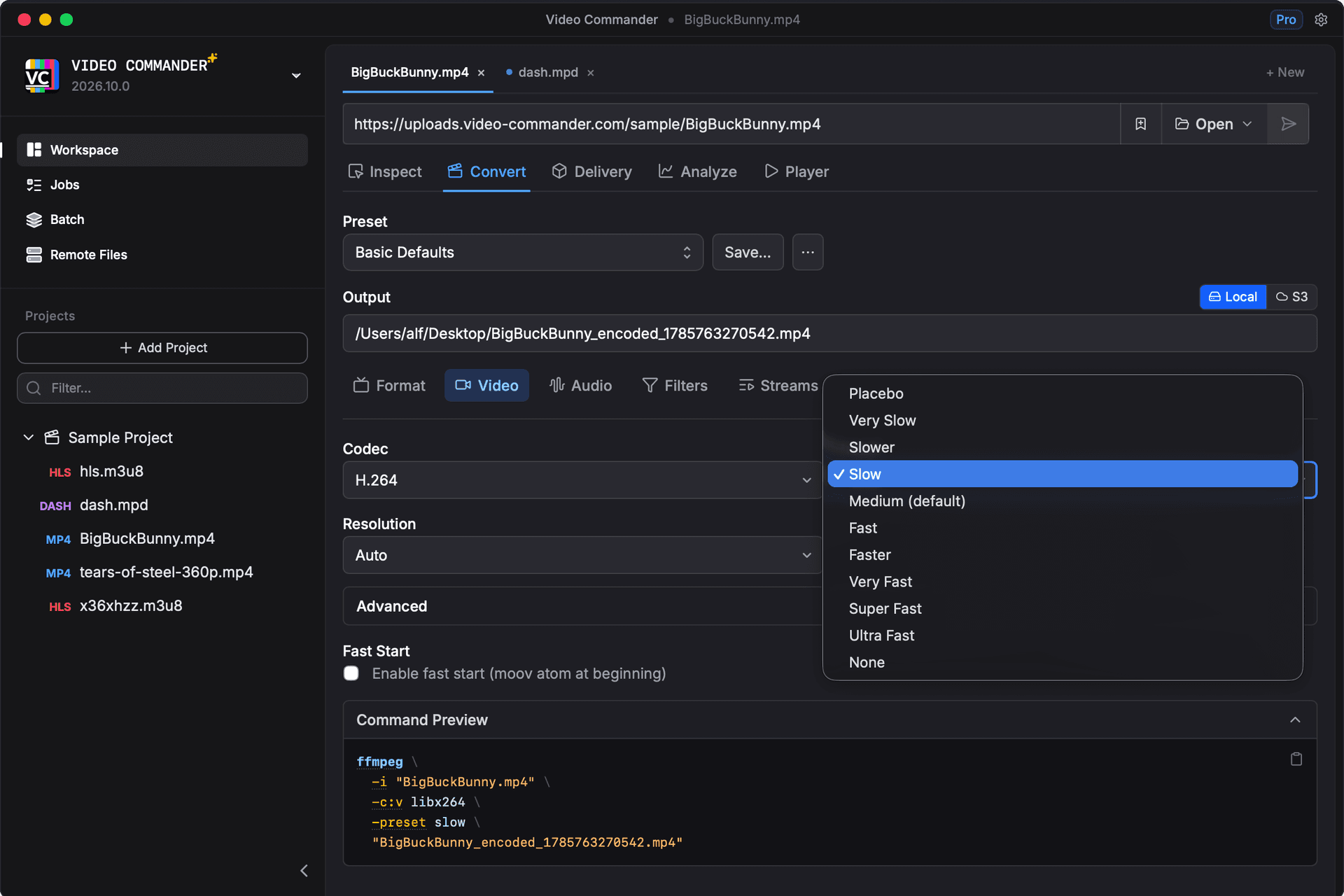
Desktop macOS. Built for Engineers.
- Apple Silicon & Intel support
- Offline-first
- All processing runs locally
- Free download, no subscription
- Transparent release notes
- Built by a professional media engineer
FFmpeg GUI vs Traditional CLI Workflow
| Task | Terminal Workflow | Video Commander |
|---|---|---|
| Convert video format | ffmpeg -i input.mp4 -c:v libx264 output.mp4 | Visual encode settings with hardware encoder support |
| Batch encode multiple files | Shell loop or custom script | Built-in batch queue with per-job progress |
| Inspect MP4 metadata | mp4dump / ffprobe | Visual box inspector |
| Compare two encodes | Custom script with vmaf and ffmpeg | Built-in VMAF analysis |
| Package for HLS | Multiple CLI tools | Unified interface |
| Debug track structure | Manual parsing | Structured tree view |
Encoding runs through FFmpeg, so output matches the equivalent command line. The difference is where you spend your time before and after the encode.
Frequently Asked Questions
- Is there a free FFmpeg GUI for macOS?
- Video Commander is free for personal and non-commercial use on macOS, with no subscription. Commercial use is a $39 one-time license. It runs on your machine and processes everything locally.
- Can I use FFmpeg without the command line on a Mac?
- Yes. Encoding, inspection, VMAF analysis, and HLS/DASH packaging all run from the interface. Video Commander shows the FFmpeg command it is about to run, so you can copy it into a script or CI job when you need to.
- Does Video Commander work on Apple Silicon?
- Yes. Video Commander supports both Apple Silicon (M-series) and Intel Macs.
- Which macOS versions does it run on? Is there an OS X build?
- Video Commander requires macOS 11 Big Sur or later. Searches for an FFmpeg GUI for OS X land here, but releases before macOS 11 (OS X 10.x) are not supported.
- What can I do with Video Commander?
- Convert and encode video with hardware encoding through VideoToolbox, batch encode through a jobs queue, inspect MP4 and ISOBMFF box structure, compare encodes with VMAF, package adaptive streams for HLS and DASH, and read track and sample data.
Download FFmpeg GUI for macOS
Video Commander runs locally on macOS and supports Apple Silicon and Intel.
Download the Latest VersionAlso available for Windows 10 and 11. See the platform overview.
Free to start. Pro for commercial work.
Video Commander is free for personal use. For client and commercial projects, Pro is a one-time $39, with free updates for life.
More Video Commander Tools
- FFmpeg GUI
- FFmpeg GUI for Windows
- HandBrake Alternative for macOS
- Video Encoder for macOS
- FFmpeg Batch Encoding
- MP4 Inspector for macOS
- MKV Inspector for macOS
- MP4Box GUI for macOS
- Video Metadata Inspector
- ffprobe GUI for macOS
- ffprobe Alternative for macOS
- MediaInfo Alternative for macOS
- VMAF GUI for macOS
- VMAF-Target Encoding
- HLS Validator for macOS