
Video Commander
Video Encoder for macOS
FFmpeg is the gold standard for video encoding. But constructing the right command for each job, codec flags, CRF values, filter chains, takes time and requires you to know the syntax by heart.
Video Commander is a native macOS video encoder that puts visual controls in front of FFmpeg, so you can encode to H.264, HEVC, AV1, and more without writing a single command.
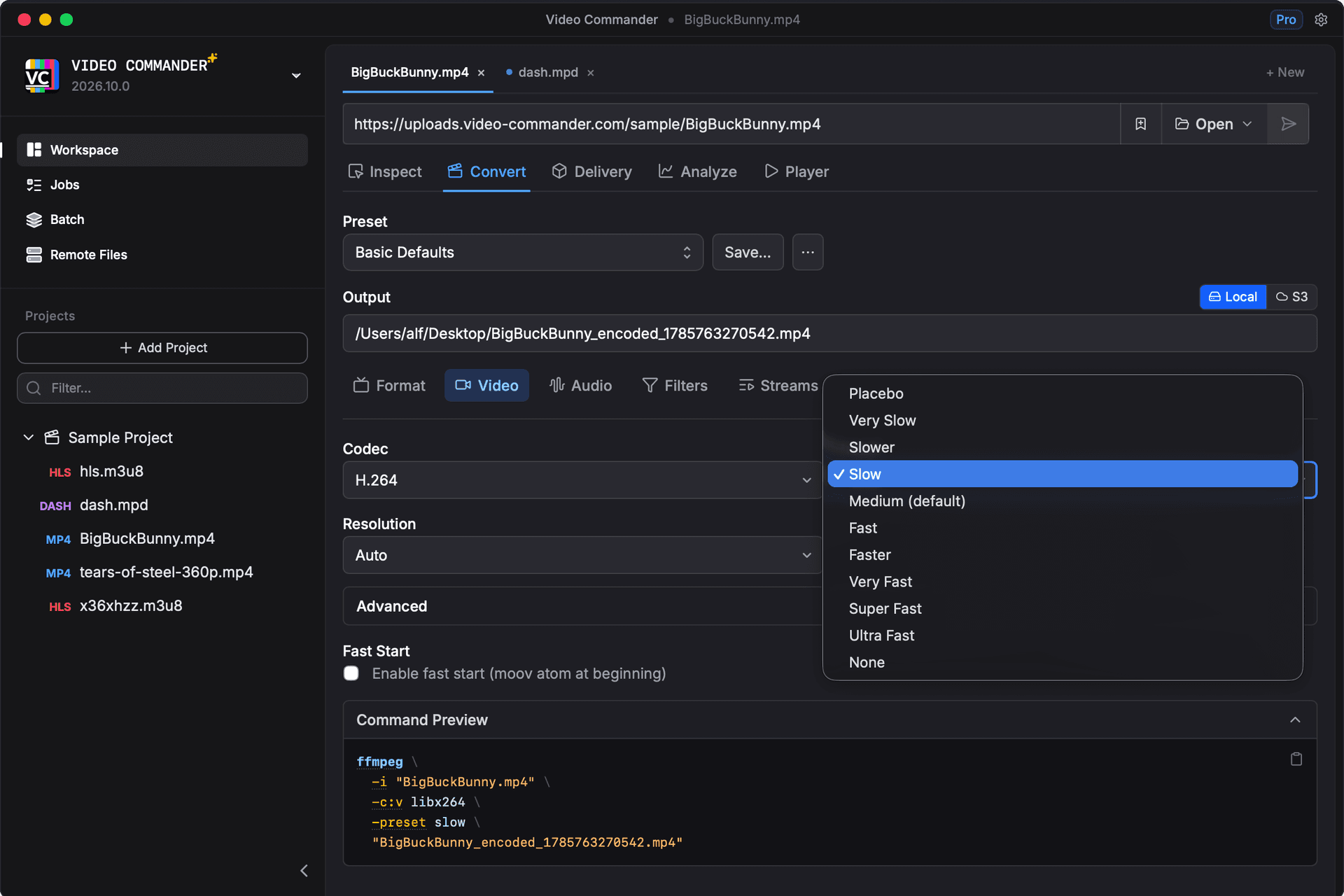
Encoding Capabilities
- H.264 (AVC) encoding with configurable CRF and preset
- HEVC (H.265) for high-efficiency output
- AV1 encoding for modern streaming targets
- VP9 support
- AAC, Opus, and MP3 audio encoding
- Resolution and frame rate control
- Bitrate targeting and CRF mode
- Multi-track output control
Video Encoder GUI vs FFmpeg CLI
| Task | FFmpeg CLI | Video Commander |
|---|---|---|
| Encode to H.264 | ffmpeg -i input.mp4 -c:v libx264 -crf 23 output.mp4 | Visual codec and quality settings |
| Encode to HEVC | ffmpeg -i input.mp4 -c:v libx265 -crf 28 output.mp4 | Select codec from dropdown |
| Control output resolution | -vf scale=1920:1080 | Resolution picker |
| Encode multiple files | Shell loop or batch script | Jobs queue with progress |
| Verify the output | Run ffprobe separately | Inspect result in the same app |
Encoding runs through FFmpeg, so codec support and output quality match the equivalent command line.
Frequently Asked Questions
- What video codecs does Video Commander support for encoding?
- Video Commander supports H.264 (AVC), HEVC (H.265), AV1, and VP9 for video, and AAC, Opus, and MP3 for audio, covering the most common encoding targets for streaming, delivery, and archival.
- Does it use FFmpeg under the hood?
- Yes. Video Commander uses FFmpeg for encoding, which means you get the same output quality and codec support, just without writing the commands yourself.
- Can I use it for batch encoding?
- Yes. Video Commander includes a jobs queue so you can line up multiple encoding tasks and monitor their progress.
- Does it support Apple Silicon hardware encoding?
- Yes. Video Commander runs natively on Apple Silicon and supports hardware-accelerated encoding where available.
- Is it free?
- Yes. Video Commander is a free download with no subscription required.
Download Video Encoder for macOS
Video Commander runs locally on macOS. Supports Apple Silicon and Intel.
Download the Latest VersionLinux support coming soon.
Free to start. Pro for commercial work.
Video Commander is free for personal use. For client and commercial projects, Pro is a one-time $39, with free updates for life.
More Video Commander Tools
- FFmpeg GUI
- FFmpeg GUI for macOS
- FFmpeg GUI for Windows
- HandBrake Alternative for macOS
- FFmpeg Batch Encoding
- MP4 Inspector for macOS
- MKV Inspector for macOS
- MP4Box GUI for macOS
- Video Metadata Inspector
- ffprobe GUI for macOS
- ffprobe Alternative for macOS
- MediaInfo Alternative for macOS
- VMAF GUI for macOS
- VMAF-Target Encoding
- HLS Validator for macOS