
Video Commander
A Better FFprobe Alternative for macOS
ffprobe works, but reading through JSON output, remembering flag combinations, and re-running commands for every file adds friction to workflows that should be fast.
Video Commander is a native macOS alternative: a visual media inspector that shows you codecs, streams, bitrates, container metadata, and more, without a single terminal command.
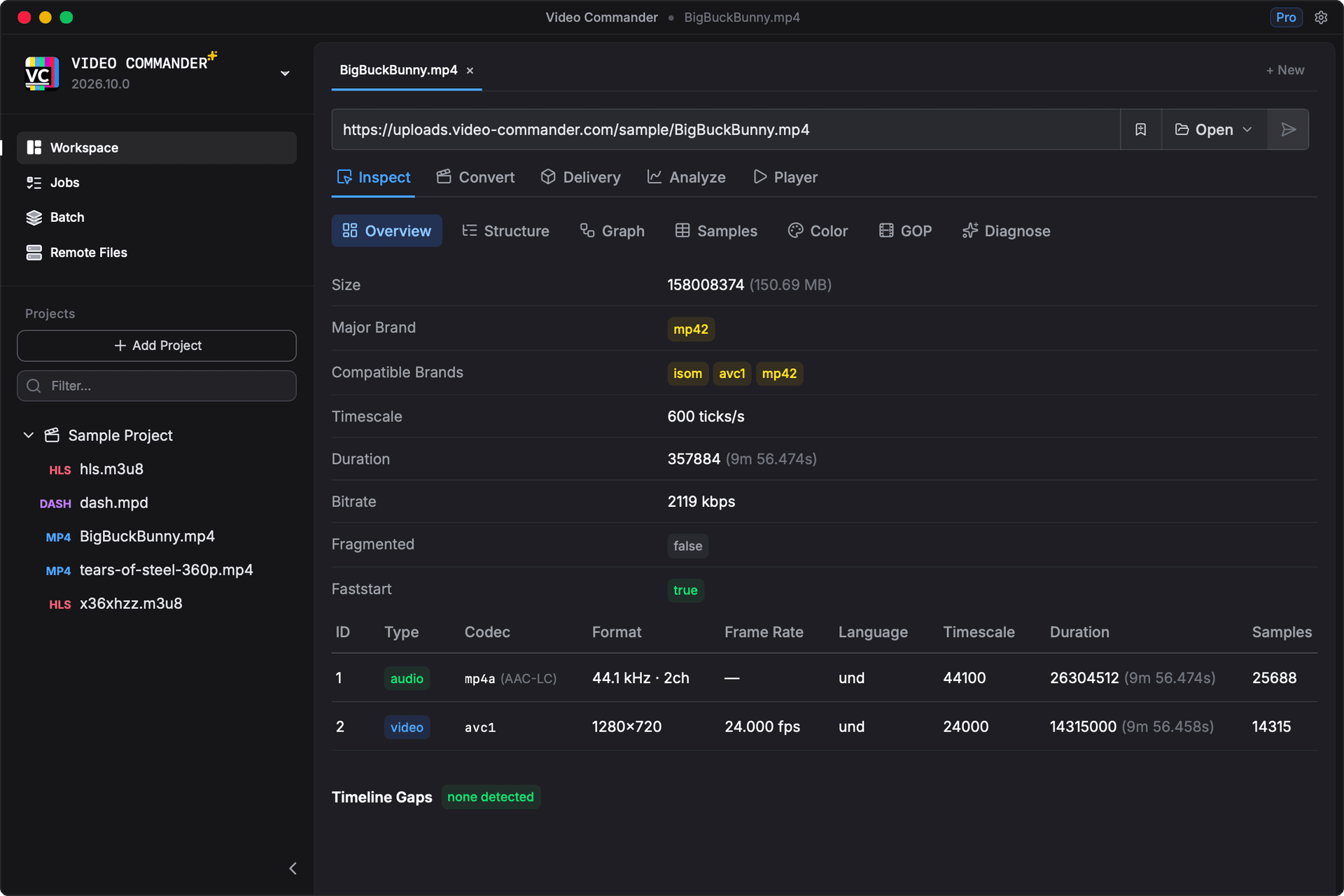
Where Video Commander Goes Further
- No command flags to remember
- MP4 / ISOBMFF box tree not available in ffprobe
- HLS and DASH manifest inspection built in
- Readable output without parsing JSON
- View multiple files without re-running commands
- HDR and color metadata surfaced clearly
FFprobe vs Video Commander
| Feature | ffprobe | Video Commander |
|---|---|---|
| View codec details | ffprobe -show_streams -v quiet -of json | Structured stream panel |
| Inspect container format | ffprobe -show_format | Summary view with parsed fields |
| Check bitrate per track | Parse JSON output manually | Displayed per track inline |
| Inspect MP4 box structure | Not directly supported | Full ISOBMFF box tree |
| Inspect HLS manifests | Limited manifest support | Full HLS manifest inspector |
| View HDR metadata | ffprobe -show_frames (slow) | Shown in track metadata view |
Frequently Asked Questions
- Why would I want an ffprobe alternative?
- ffprobe is powerful but produces verbose, hard-to-scan output. For day-to-day inspection work, checking codecs, bitrates, and track details, a visual interface is significantly faster, especially when debugging multiple files.
- Does Video Commander show the same information as ffprobe?
- It covers the most common ffprobe use cases: codec, bitrate, resolution, frame rate, duration, container format, color information, and audio track details. It also goes further with ISOBMFF box inspection and HLS/DASH manifest parsing, which ffprobe does not support directly.
- How is this different from MediaInfo?
- MediaInfo is a great general-purpose tool. Video Commander is built specifically for video engineers working with streaming and delivery workflows, with deeper support for ISOBMFF structures, HLS/DASH manifests, and VMAF analysis alongside inspection.
- Is it free?
- Yes. Video Commander is a free download for macOS.
Try the FFprobe Alternative for macOS
Video Commander is free, runs locally on macOS, and supports Apple Silicon and Intel.
Download the Latest VersionLinux support coming soon.
Free to start. Pro for commercial work.
Video Commander is free for personal use. For client and commercial projects, Pro is a one-time $39, with free updates for life.
More Video Commander Tools
- FFmpeg GUI
- FFmpeg GUI for macOS
- FFmpeg GUI for Windows
- HandBrake Alternative for macOS
- Video Encoder for macOS
- FFmpeg Batch Encoding
- MP4 Inspector for macOS
- MKV Inspector for macOS
- MP4Box GUI for macOS
- Video Metadata Inspector
- ffprobe GUI for macOS
- MediaInfo Alternative for macOS
- VMAF GUI for macOS
- VMAF-Target Encoding
- HLS Validator for macOS