
Video Commander
A MediaInfo Alternative for macOS
MediaInfo tells you what a file says it is. That is usually enough, right up until a file reports perfectly reasonable values and still refuses to play.
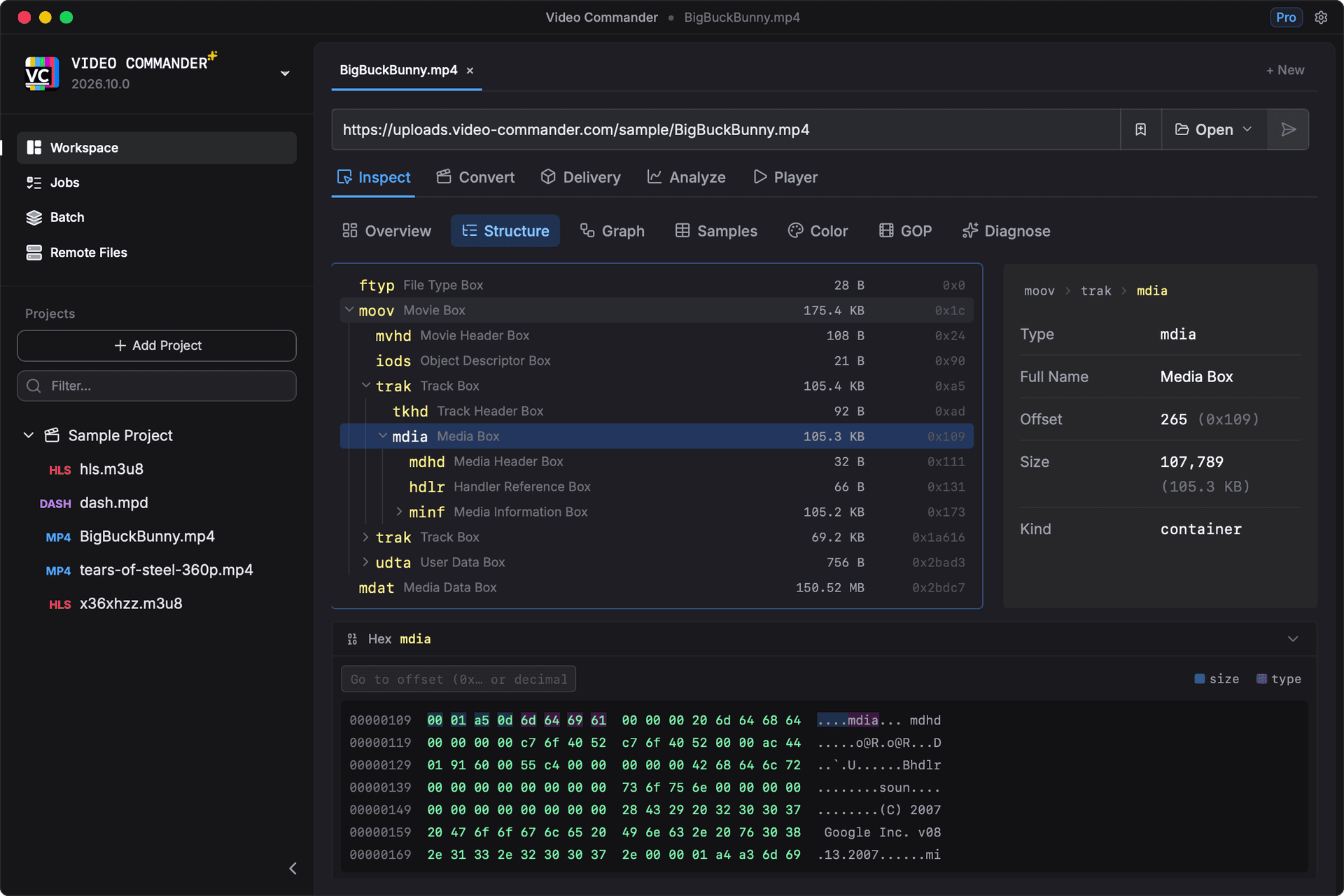
Video Commander gives you the same codec and track metadata, then lets you open the structure underneath it: the ISOBMFF box tree, per-sample timestamps, GOP layout, and DRM signalling.
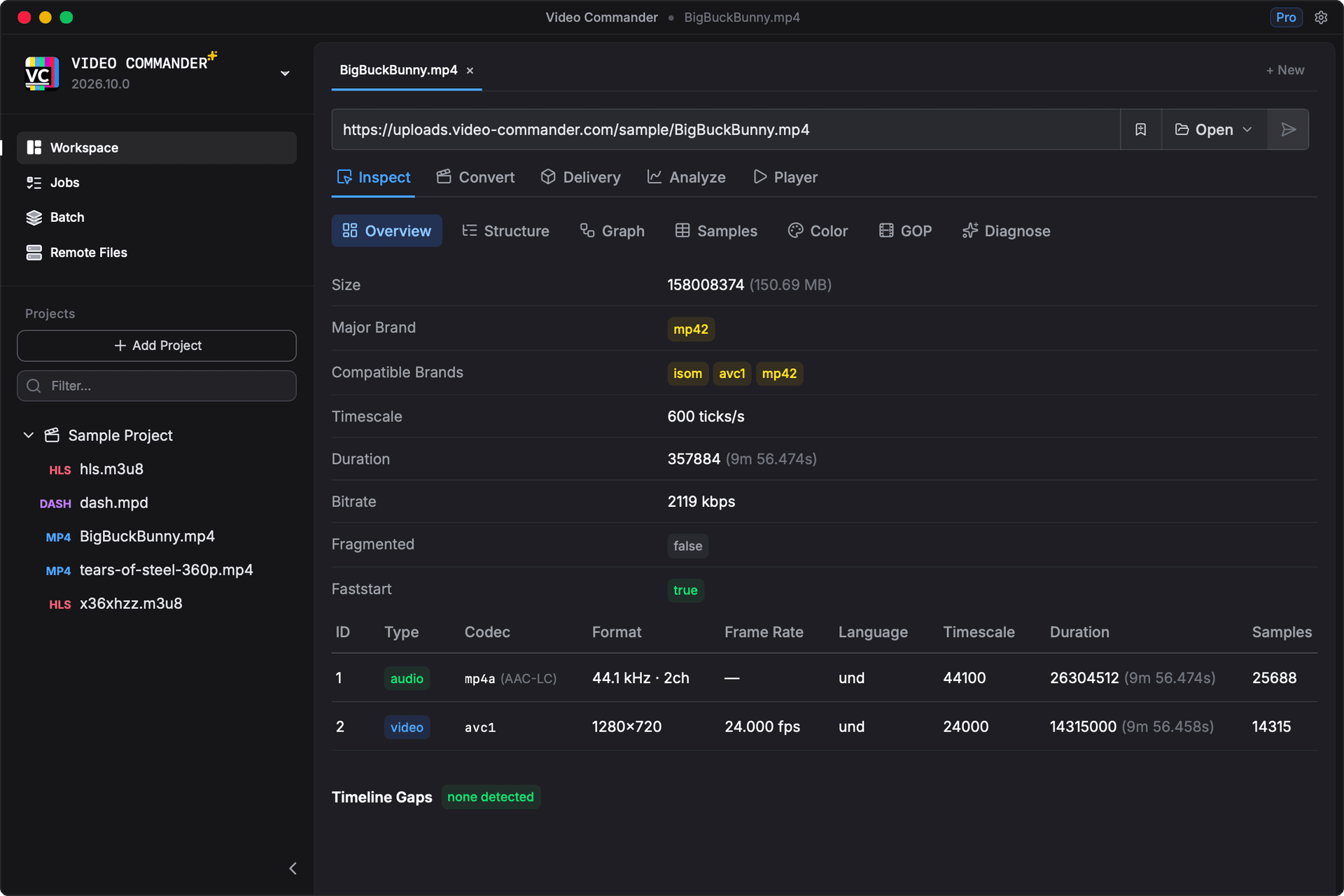
The browser demo parses files locally. Nothing is uploaded.
Where Video Commander Goes Further
- The box structure behind the summary, not just the summary
- Sample tables with timestamps, sizes, and sync flags
- GOP and keyframe layout for streaming work
- HLS and DASH manifest inspection and validation
- PSSH and DRM signalling parsed, not just flagged
- Convert, VMAF, and packaging in the same window
MediaInfo vs Video Commander
| Feature | MediaInfo | Video Commander |
|---|---|---|
| Codec, resolution, and bitrate | Text or tree report | Structured overview panel |
| Container metadata and tags | Reported per track | Reported per track |
| ISOBMFF / MP4 box structure | Not shown | Expandable box tree with hex dump |
| Per-sample timestamps and sync flags | Not shown | Paged sample table per track |
| GOP and keyframe layout | Not shown | Dedicated GOP view |
| HLS and DASH manifests | Not supported | Manifest parsing and conformance checks |
| DRM and encryption signalling | Basic encryption flag | PSSH parsing and DRM system details |
| Encode, measure VMAF, package | Inspection only | Built into the same app |
MediaInfo reads a wider range of formats and remains a great general-purpose tool. Video Commander is aimed at streaming and delivery work, where the question is usually why a file behaves the way it does.
Read the Structure, Not Just the Summary
When a file plays in VLC but not in Safari, the summary rarely explains it. The answer is usually in the structure: an hvc1 versus hev1 sample entry, a profile the target device will not decode, or a moov atom sitting at the end of the file. Video Commander shows you all three.
Frequently Asked Questions
- Why use Video Commander instead of MediaInfo?
- MediaInfo reports what a file declares about itself, and for a quick summary it does that well. Video Commander also shows you the structure those declarations come from: the ISOBMFF box tree, per-sample timestamps and sync flags, GOP layout, and DRM signalling. That matters when a file reports plausible values but still misbehaves in a player.
- Is MediaInfo still worth using?
- Yes. It is free, actively maintained, and reads a far wider range of formats than Video Commander does. The two are complementary: MediaInfo for a fast answer across almost any file, Video Commander when you need to see why an MP4 behaves the way it does.
- Does it read MKV and other containers?
- Video Commander inspects MP4 and the ISOBMFF family in the most depth, and also supports MKV and AVI. The browser playground is MP4 only; MKV and AVI need the desktop app.
- Can I try it without installing anything?
- Yes. The browser playground runs the real inspection engine compiled to WebAssembly, so you can drop an MP4 into a tab and see the same overview, box tree, and sample views. Files are parsed locally and never uploaded.
- Does it run on Apple Silicon?
- Yes. Video Commander runs natively on Apple Silicon and Intel Macs, and is also available for Windows.
- Is it free?
- Video Commander is free for personal use. Pro is a one-time $39 for commercial and client work, with free updates for life.
Try It on Your Own File
Get the desktop app for macOS on Apple Silicon and Intel, or open the playground first and drop in an MP4 to see what it reads.
Free to start. Pro for commercial work.
Video Commander is free for personal use. For client and commercial projects, Pro is a one-time $39, with free updates for life.
More Video Commander Tools
- FFmpeg GUI
- FFmpeg GUI for macOS
- FFmpeg GUI for Windows
- HandBrake Alternative for macOS
- Video Encoder for macOS
- FFmpeg Batch Encoding
- MP4 Inspector for macOS
- MKV Inspector for macOS
- MP4Box GUI for macOS
- Video Metadata Inspector
- ffprobe GUI for macOS
- ffprobe Alternative for macOS
- VMAF GUI for macOS
- VMAF-Target Encoding
- HLS Validator for macOS